
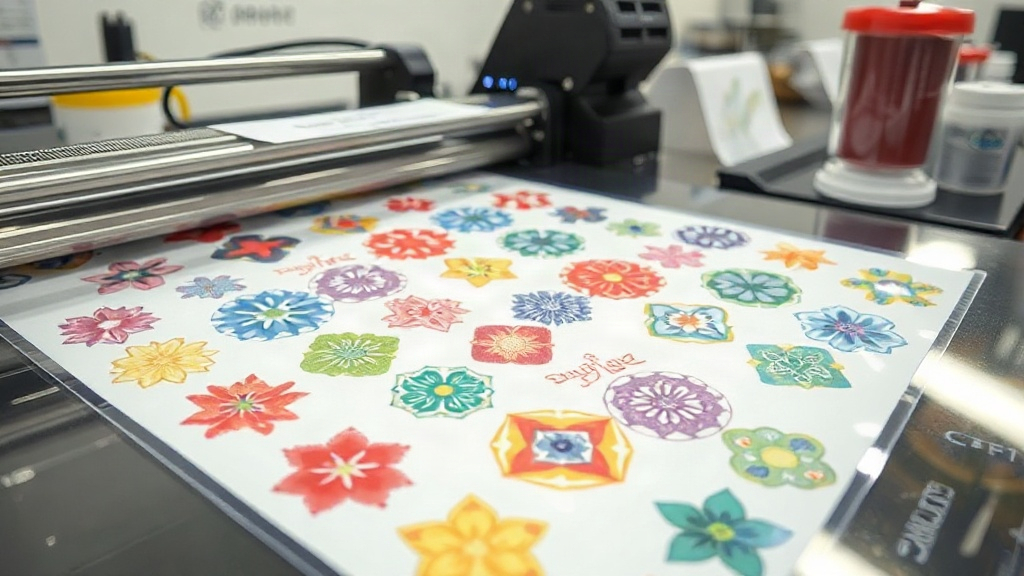
If you're in the custom apparel business, you know that efficiency and quality are the keys to staying competitive. Enter the DTF gangsheet—a game-changing approach to direct-to-film printing that lets you produce multiple designs in one go, slashing turnaround times and cutting costs. Whether you're a seasoned pro or just starting out, understanding how to leverage gangsheets can take your production to the next level.
What Exactly Is a DTF Gangsheet?
A DTF gangsheet is a single sheet of transfer film that contains multiple designs arranged together. Instead of printing each image separately, you nest them onto one large sheet, which is then printed, powdered, and cured in one continuous process. This method maximizes the use of film and ink, minimizes waste, and dramatically speeds up production. Think of it as batch printing for DTF—efficient, cost-effective, and incredibly practical for high-volume orders.
Why Gangsheets Are a Game-Changer
Traditional DTF printing often involves printing one design at a time, which can be time-consuming and wasteful. Gangsheets flip that model on its head. By grouping multiple designs, you reduce the number of print runs, save on consumables, and ensure consistent quality across all transfers. Plus, you can mix and match sizes, colors, and even different artwork on the same sheet, giving you unparalleled flexibility.
How to Create a DTF Gangsheet That Works
Creating a gangsheet isn't just about cramming as many designs as possible onto a sheet. It requires strategic planning to ensure each transfer comes out perfectly. Here's a step-by-step breakdown of the process.
Step 1: Choose the Right Software
You'll need a graphic design program that supports nesting and precise layout. Adobe Illustrator, Photoshop, or dedicated RIP software like Cadlink or AcroRIP are popular choices. These tools allow you to import your designs, set the sheet size, and arrange everything with exact spacing.
Step 2: Optimize Your Artwork
Before you start nesting, make sure each design is print-ready. That means:
- Converting text to outlines to avoid font issues.
- Ensuring all images are high-resolution (300 DPI minimum).
- Adding a white underbase layer for vibrant colors on dark garments.
- Mirroring the design if required by your printer's settings.
These steps prevent common pitfalls like color fading or misalignment.
Step 3: Arrange Designs with Precision
When placing designs on your gangsheet, leave at least 0.25 inches of space between each one. This gap prevents overlapping during cutting and ensures clean edges. Also, consider the grain of the film—some films have a direction, and aligning designs accordingly can improve adhesion. Use your software's alignment tools to keep everything straight.
Step 4: Set Up Your Printer
Load your DTF printer with the appropriate film and ink. Make sure the printer is calibrated and the print head is clean. For gangsheets, you'll often use a larger film roll or sheet size, so check that your printer supports it. Adjust the print settings to match your film type and desired ink density.
Step 5: Print, Powder, and Cure
Once printed, the sheet goes through the powdering station where hot-melt adhesive powder is applied. Shake off excess powder, then cure the sheet in an oven or with a heat press. Follow the manufacturer's temperature and time recommendations—typically around 320°F for 2-3 minutes. Proper curing ensures the transfers will withstand washing and stretching.
Maximizing Efficiency with DTF Gangsheets
To truly reap the benefits, you need to optimize your gangsheet workflow. Here are some expert tips.
Nesting Strategies for Zero Waste
Nesting is both an art and a science. Start by grouping similar-sized designs together. Rotate shapes to fill gaps. Use software with auto-nesting features to save time. Aim for at least 85% film utilization—the higher, the better. Remember, every inch of unused film is money down the drain.
Color Management Best Practices
Consistent color across a gangsheet is crucial, especially if you're printing the same design multiple times. Use ICC profiles tailored to your printer and ink set. Calibrate your monitor regularly. And always print a test strip before committing to a full sheet.
Film and Powder Selection
Not all DTF films are created equal. Choose a film that matches your printer's specifications and your garment types. For stretchy fabrics, consider a stretchable film. For high-detail designs, a thinner film works better. Similarly, select a quality adhesive powder—fine powder for intricate details, coarser for bold blocks.
Common Mistakes to Avoid
Even seasoned printers can stumble. Watch out for these pitfalls.
- Overcrowding: Leaving too little space between designs leads to cutting errors.
- Inconsistent curing: Under-cured transfers peel; over-cured ones crack.
- Ignoring humidity: High humidity can affect powder adhesion and film handling.
- Skipping test prints: Always test a small sample before full production.
Frequently Asked Questions About DTF Gangsheets
What is the ideal size for a DTF gangsheet?
The ideal size depends on your printer's maximum print width and the number of designs you need. Common sheet sizes are 13x19 inches, 16x20 inches, or custom rolls up to 24 inches wide. Choose the largest size your printer supports to maximize efficiency.
Can I mix different designs on one gangsheet?
Absolutely. Mixing designs is one of the biggest advantages. Just ensure each design has its own space and that you account for different curing requirements if any. Typically, all designs on a sheet cure together, so they should have similar ink coverage.
How do I prevent film from curling during printing?
Film curling often results from static or improper storage. Store film in a cool, dry place and allow it to acclimate to room temperature before printing. Using a film holder or vacuum platen can also keep it flat.
What's the shelf life of a printed DTF gangsheet?
When stored properly in a cool, dark, and dry environment, printed gangsheets can last up to 6 months. Avoid exposure to moisture and direct sunlight, which can degrade the adhesive powder.
Do I need a special printer for gangsheets?
Any DTF printer can handle gangsheets as long as it supports the sheet size you want. However, printers with wider carriages and roll-fed options are more convenient for larger sheets. Always check your printer's specs.